Welcome to Gatebase 👋
Gatebase turns your Bubble backend workflows into a REST API and an MCP server.
Gatebase turns your Bubble backend workflows into a REST API and an MCP server.
Gatebase turns the backend workflows of your Bubble app into a public REST API and an MCP server that AI agents can use. Your business logic stays in Bubble. Gatebase handles everything around it: API keys, input validation, rate limits, logs and billing.
When someone calls your API, Gatebase checks their API key, checks the parameters they sent, then calls the matching Bubble workflow and returns its answer. Bubble never receives a request that failed these checks.
| Term | Meaning |
|---|---|
| Project | One Bubble app published through Gatebase. A project has its own web address (https://<project>.gatebase.dev), its own routes, tenants and plan. |
| Route | A public address, such as GET /orders/{id}, that runs one Bubble workflow when it is called. A route can also be offered to AI agents as an MCP tool. |
| Tenant | One of your customers' accounts, allowed to call your API with its own API keys. Its ID is the unique ID of that account in Bubble: Gatebase sends it to your workflow in a parameter named tenantId, and the caller cannot change it. |
| Test and Live | Every project has two environments. You create and change routes in Test, which calls your Bubble development version. Live calls your Bubble live version and only changes when you publish. |
| Version | A numbered set of routes: v1, v2 and so on. Callers choose a version in the address they call, so you can release breaking changes in a new version without affecting existing callers. |
This page takes one Bubble backend workflow and makes it callable as a live API, in five steps.
In your Bubble app, turn on the Workflow API and mark a backend workflow as public. If the workflow reads or changes data that belongs to one customer, add a parameter named tenantId so Gatebase can tell it which customer is calling. Prepare your workflows explains each setting.
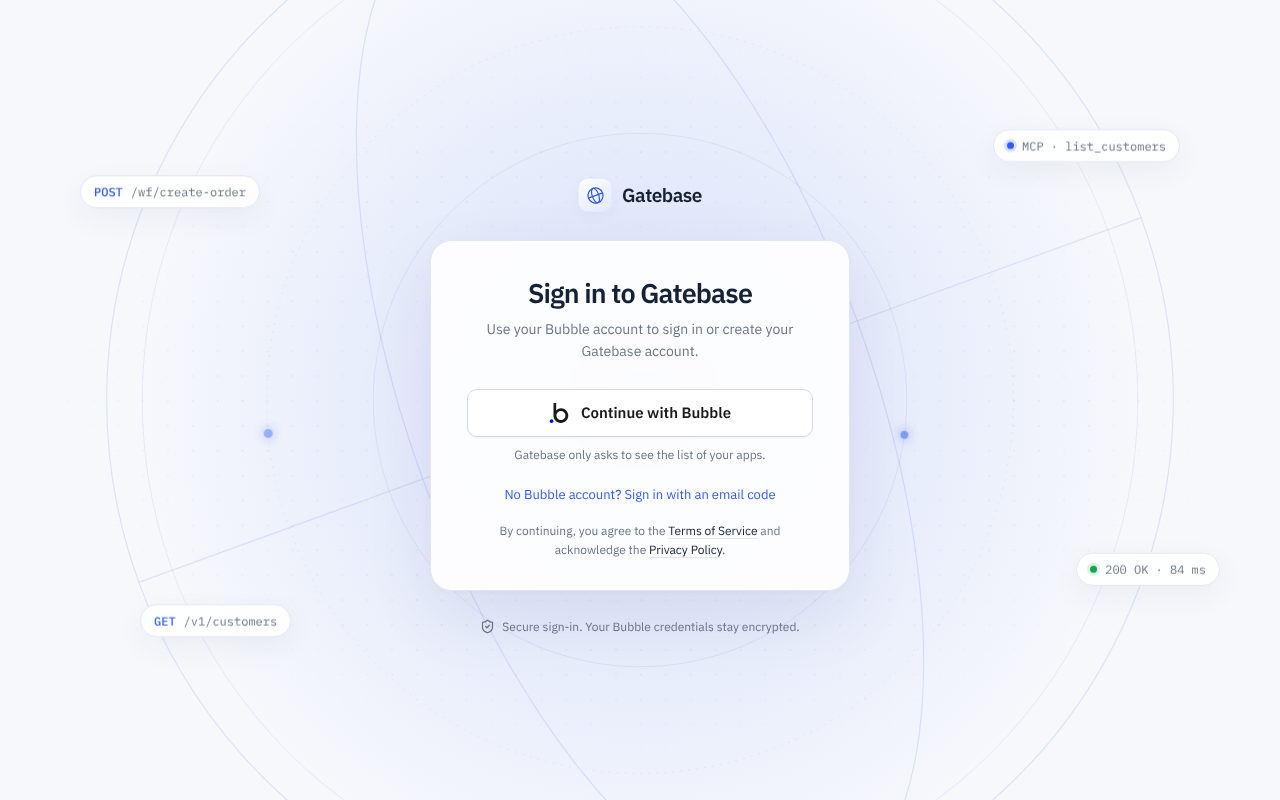
Open app.gatebase.dev and click Continue with Bubble. Gatebase only asks Bubble for the list of your apps. The first time, Gatebase also asks for your email address and a code it sends there, to create your account; your Bubble account is then linked, and later sign-ins take one click.
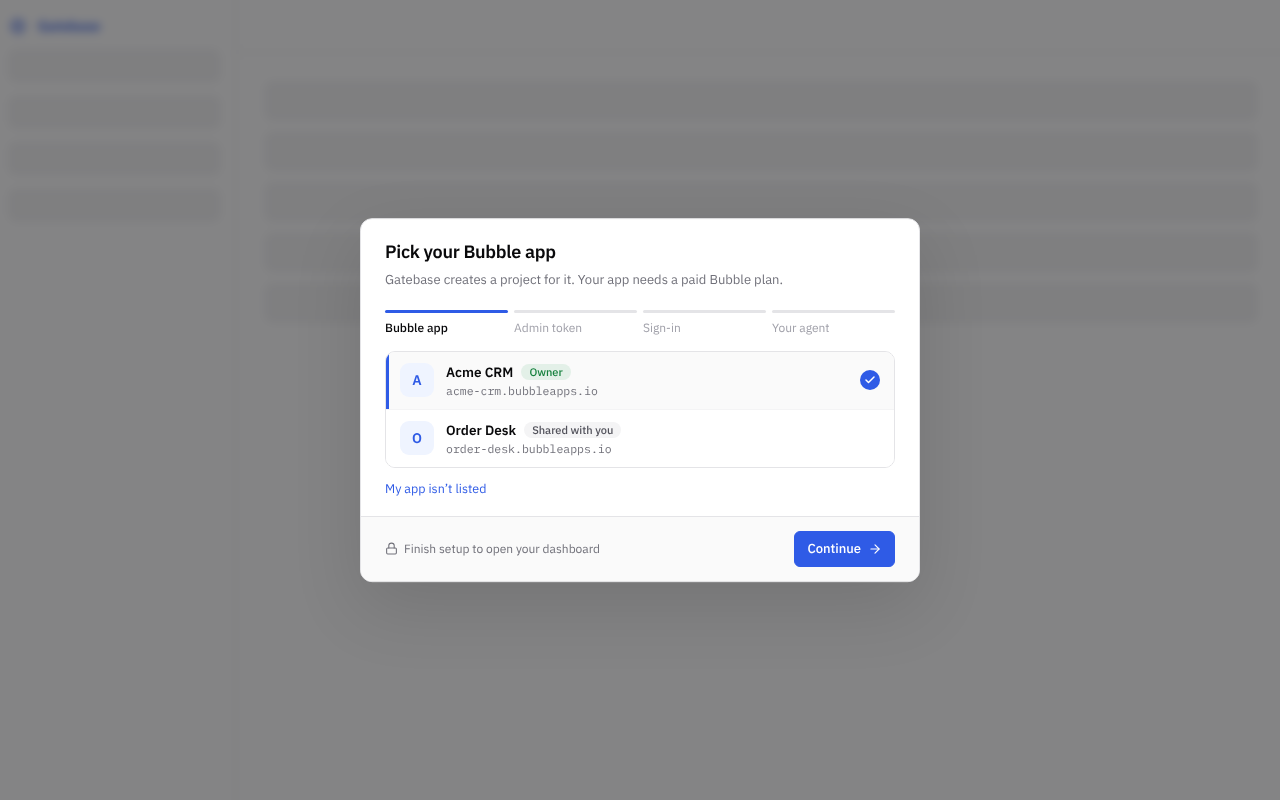
Pick your app in the list: the project takes its name and address. Then paste the app's admin API token, which you find in Bubble under Settings → API. Gatebase stores it encrypted and never shows it again. Your app needs a paid Bubble plan, because Bubble's Free plan refuses API calls. An app missing from the list, for example one on a Dedicated server, can be entered by hand with My app isn't listed.
Open Routes, click New route and pick your workflow in the list. If it is not there, click Sync backend workflows, the button next to the list, so Gatebase reads your app again. The route is created in Test.
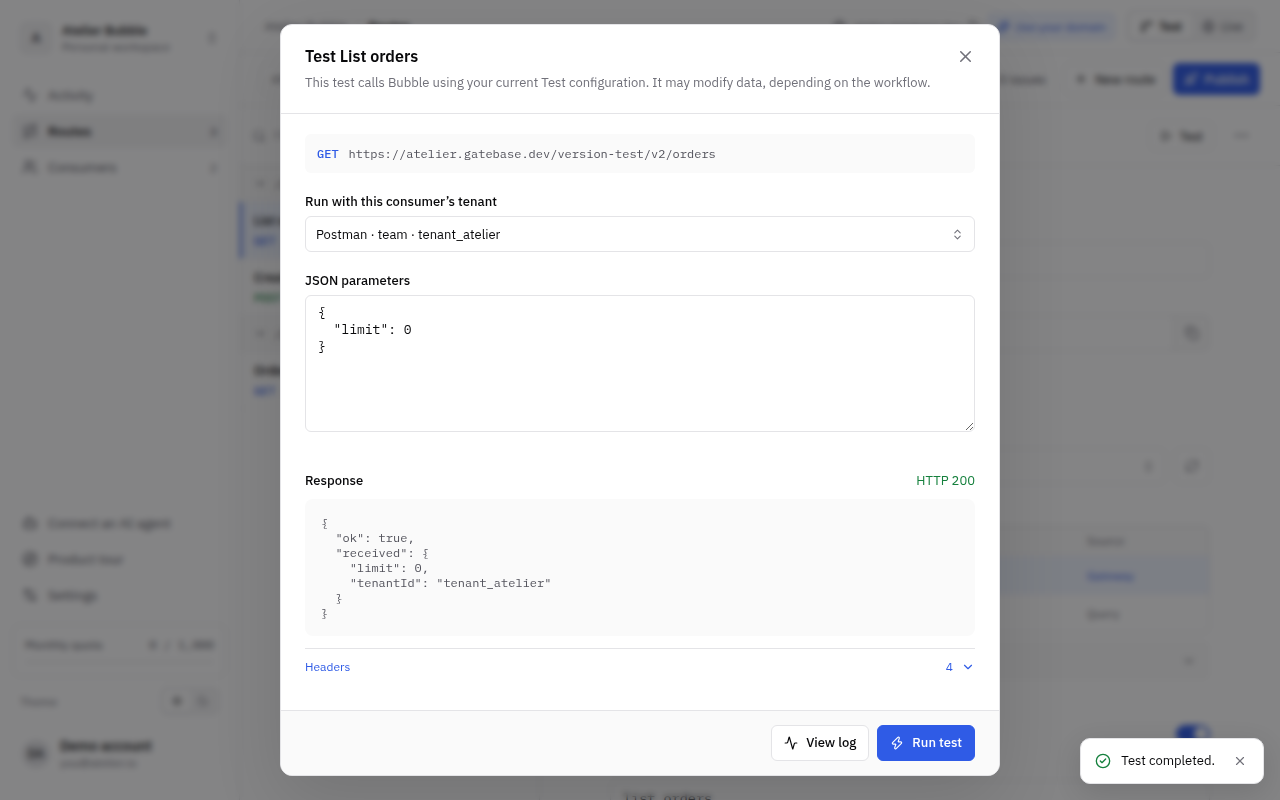
Open Tenants and create a tenant, which is who the test call will act as. Then open the route and click Test. Gatebase calls your Bubble development version and shows the answer.
Deploy your Bubble app to Live, then click Publish to Live in Gatebase. Create a Live tenant and give it an API key. Your API is now callable:
curl "https://acme.gatebase.dev/v1/orders?limit=20" \
  -H "Authorization: Bearer $GATEBASE_KEY"
Replace acme with your project's ID, /orders with your route's path, and $GATEBASE_KEY with the API key.
Or ask an AI agent to do itClaude, ChatGPT and Cursor can import, test and publish routes for you once connected to Gatebase. See Manage Gatebase from an agent.
Who can do what in a project, and how requests are counted and billed.
Each member of a project has one role.
| Role | What the member can do |
|---|---|
| Owner | Everything. There is one owner per project, and only the owner can delete it or transfer it to another member. |
| Admin | Everything except deleting the project: publish, manage tenants and API keys, the Bubble connection, billing and the team. |
| Developer | Create, change and test routes in Test, and create Test tenants and API keys, revoke Test keys and turn a Test tenant's access on or off. A developer cannot publish or change anything in Live. |
| Viewer | See the configuration and the logs, without changing anything. |
To add a member, open Settings → Team and invite their email address. The invitation is valid for seven days and can only be accepted by that address. A member without a Bubble account signs in with an email code.
Each project is billed separately. The Free plan includes a number of Live requests per month and refuses requests once they are used. The Pro plan includes more requests and a custom domain, and can keep answering beyond its allowance, billing each extra request. Current prices and allowances are on the pricing page. You manage your plan in Settings → Billing.
A request counts when it is made in Live and Gatebase calls your Bubble workflow, whether the workflow succeeds or fails, over REST or MCP. Requests made in Test are never billed, but Test has its own monthly allowance: beyond it, Test requests are refused with 429 quota_exceeded. Requests that Gatebase refuses before calling Bubble, such as an invalid key or a missing parameter, are not counted either. Opening an MCP App is not counted; each route it calls is.
When the monthly allowance is used up and extra requests are not enabled, Live requests are refused with the error 429 quota_exceeded until the next period starts.
Gatebase emails the project's owner, once for each event, when something makes the Live API refuse or fail calls:
What changed in Gatebase, newest first. Changes that your callers could see come with a new contract date.
PATCH routes that change only the fields the caller sends (Partial updates).RateLimit-Limit, RateLimit-Remaining and RateLimit-Reset (Changes your code must accept).structuredContent.GET) or may change or remove data (PATCH, DELETE), so AI apps ask for confirmation only when it matters.idempotencyKey is now a reserved parameter name.Gatebase can only publish Bubble backend workflows (API workflows). This page explains how to set them up so that Gatebase can call them and your callers get clean answers.
Privacy rules do not protect your data hereA Bubble API token gives admin access, and admin access ignores your app's privacy rules. Every workflow that touches customer data must therefore filter it with the tenantId parameter itself. Tenants and shared data shows how.
The parameters you declare in a workflow become the parameters of the route. Before calling Bubble, Gatebase checks that each value sent by the caller matches the parameter's Bubble type, and refuses the request if it does not. This table shows what a caller must send for each type.
| Bubble type | What the caller sends |
|---|---|
| text | A string. |
| number | A number, such as 12 or -4.5. |
| yes / no | true or false. |
| date | A string with a date, such as "2026-01-01", or a date and time with a time zone, such as "2026-01-01T10:00:00Z". |
| date range | An array of two dates, the start then the end: ["2026-01-01", "2026-01-31"]. |
| file, image | The URL of an existing file. To upload a new file instead, the caller sends {"filename": "invoice.pdf", "contents": "<file encoded in base64>"} in the JSON body; Bubble stores it and your workflow receives its URL. |
| geographic address | A string with the address. Bubble turns it into a location only if your app has a geocoding key. |
| a data type (such as User or Order) | The unique ID of an existing thing of that type. If no thing has this ID, the request is refused: with 404 resource_not_found when the ID is in the route's path, with 422 invalid_reference otherwise. |
| an option set | The option's display text, written exactly as it appears in Bubble, with the same capital letters. For an option displayed as Admin, the caller must send "Admin": "admin" is refused, and so is the option's internal ID. |
| a list of any type above | An array of values of that type. If one value is invalid, the whole request is refused. |
A parameter marked as required in Bubble must be present in the request. If it is missing or null, Gatebase refuses the request with 400 invalid_input and Bubble is not called. An empty value is accepted, though: with an empty text "", an empty list [] or an empty ID "", Bubble runs the workflow with an empty value. If your workflow needs a real value, add a condition in the workflow that checks it is not empty.
Four parameter names are reserved. If your workflow declares them, Gatebase fills them in and ignores any value sent by the caller:
tenantId: the ID of the tenant who is calling.userId: the Bubble unique ID of the user who is calling, empty for a tenant's key.providedFields: the list of parameters the caller actually sent. Use it for partial updates, to change only the fields that were sent.requestMethod: the HTTP method of the request, such as PATCH.Gatebase also keeps idempotencyKey for itself: a workflow with a parameter of that name cannot be published. Rename it in Bubble.
A PATCH route changes only the fields the caller sends: {"title": "New title"} renames a task and leaves everything else as it is. Testing whether each parameter is empty does not work for this, because a caller could then never empty a field. Use providedFields and a few reusable expressions instead.
providedFields parameter of type text, marked as a list, and make every field the caller may change optional.patchText, patchNumber, patchDate, patchDateRange, patchYesNo, patchFile, patchImage, patchAddress, and the same for a data type or an option set if you need one. Each has four parameters: providedFields (list of texts), fieldName (text), current and sent (both of that type). Its value is providedFields contains fieldName :formatted as that type, with sent for yes and current for no.patchText(providedFields, "title", taskId's title, title).A field the caller leaves out keeps its value. A field sent as null is emptied. An agent connected to Gatebase knows this pattern and can build it in your app with Bubble's MCP.
End your workflow with a Return data from API action and list the fields to send back. Callers receive these fields as a JSON object. Bubble normally wraps the answer in {"status": "success", "response": …}; Gatebase removes that wrapper so callers only get your fields. Keep in mind how Bubble writes some values:
A workflow with no Return data from API action answers 200 with an empty object, {}.
Bubble answers every workflow that ran with status 200, even when your logic decided the request should fail. To send your caller a real HTTP error, such as "insufficient balance" with status 409, add a second Return data from API action that only runs in that case, and return these fields from it:
| Field | Type | What it does |
|---|---|---|
error_code | text | A short, stable code your callers can check in their code, such as insufficient_balance: 1 to 100 lowercase letters, digits and underscores, starting with a letter. When this field is not empty, Gatebase sends an error instead of a success. It cannot be one of Gatebase's own codes: see Codes your workflow cannot use below. |
error_status | number | The HTTP status of the error. It must be between 400 and 499, but not 401 or 429. When left empty, it is 400. |
error_message | text | A sentence explaining the problem to the end user. When left empty, Gatebase uses a generic message. |
With error_code set to insufficient_balance, error_status to 409 and error_message to "Insufficient balance.", the caller receives:
HTTP/1.1 409 Conflict
content-type: application/problem+json

{"type":"about:blank","title":"Conflict","status":409,
 "detail":"Insufficient balance.","code":"insufficient_balance"}
Keep the success and the error in two separate actions: fields left in a successful response are sent to the caller as they are. A Return data from API action does not stop the workflow: Bubble runs every action, and the last Return data from API that runs is the answer. So check errors first: for each one, add the Return data from API with its Only when condition, then a Terminate this workflow action with the same condition. The actions that follow, changes and the success answer, run only when no error stopped the workflow, so they need no condition.
When several routes return the same data type, write its JSON once, in a reusable expression that takes the thing and returns its JSON text, written inside an Arbitrary text, for example taskJson(task). Use it in every workflow that returns that type, lists included (Search for Tasks:format as text with taskJson(This Task) as content): every route then returns the same fields, and a new field is added in one place.
Your callers receive two kinds of error codes: the ones Gatebase sends itself, for example invalid_api_key when the API key is wrong or quota_exceeded when the monthly allowance is used up, and the ones your workflows return. So that a caller can always trust a Gatebase code, a workflow cannot return one. Otherwise a caller who received invalid_api_key from your workflow would throw away a key that works, and one who received quota_exceeded would wait for next month for nothing.
Gatebase's codes, which your workflows cannot return: access_denied, api_version_retired, bad_gateway, concurrency_exceeded, duplicate_parameter, gateway_timeout, idempotency_in_progress, idempotency_key_reused, idempotency_outcome_unknown, idempotency_response_unavailable, internal_error, invalid_api_key, invalid_idempotency_key, invalid_json, invalid_path, invalid_token, method_not_allowed, not_found, origin_not_allowed, payload_too_large, project_suspended, quota_exceeded, rate_limited, route_not_found, service_unavailable, subscription_required, too_many_auth_failures, unsupported_media_type.
Five Gatebase codes describe an answer of your app, so your workflows can use them, each with the status Gatebase gives it:
| Code | Status | When to use it |
|---|---|---|
resource_not_found | 404 | The record the request asks for does not exist, or belongs to another tenant. |
invalid_reference | 422 | A parameter points to a record that does not exist or cannot be used. |
request_rejected | 422 | Your app refuses the request by one of its own rules. |
invalid_parameter | 400 | A parameter has a value your app does not accept. |
invalid_input | 400 | The request as a whole is not valid for your app. |
If a workflow returns a code that is not lowercase letters, digits and underscores, a Gatebase code from the list above, or one of these five codes with another status, the caller receives 500 internal_error, and the execution log tells you which field to fix in your workflow. Gatebase adds a code to this list only under a new contract date, so a code your workflow returns today keeps working on your existing API versions.
When an action fails inside the workflow (for example an API Connector call that returns an error), Bubble stops the workflow but keeps the changes already made by the earlier actions. The caller receives 502 bad_gateway and cannot know how far the workflow went.
Your API is called by several customers, and each one must only see their own data. Gatebase tells your workflow which customer is calling; your workflow uses that to filter the data.
A tenant is one of your customers' accounts. Its ID is the identifier of the data it may access, usually the unique ID of that account in your Bubble app. You choose it when you create the tenant.
Add a parameter named tenantId to each workflow that works with customer data. Declare it as text, or as the data type that represents your customers' accounts (for example Workspace). On every call, Gatebase fills tenantId with the ID of the tenant who is calling. A tenant's key cannot set it: a tenantId sent in the request is ignored, and the parameter does not appear in the API documentation or in the MCP tools.
A user who acts for several tenants names one in tenantId on each call. Gatebase checks it is one of theirs before calling Bubble, so your workflow can trust it exactly the same way.
Gatebase calls Bubble with admin access, so your privacy rules do not apply. The only thing that keeps customers apart is your workflow:
tenantId.error_code resource_not_found and error_status 404. Leave error_message empty: Gatebase then sends exactly the answer it gives for an ID that does not exist, so a caller cannot find out which IDs exist in other customers' accounts.422 request_rejected, which tells the caller the ID exists.To check the setup, create two tenants and test the route with each: they must get different data.
Some data is the same for every customer, such as a product catalog. For a workflow without a tenantId parameter, check Shared data in the route's settings to confirm that every tenant may see its data. Gatebase refuses to publish a route that has neither, with the error tenant_scope_required.
A route is the public address that runs one of your workflows, for example POST /orders. You create and test routes in the Test environment, then publish them to Live.
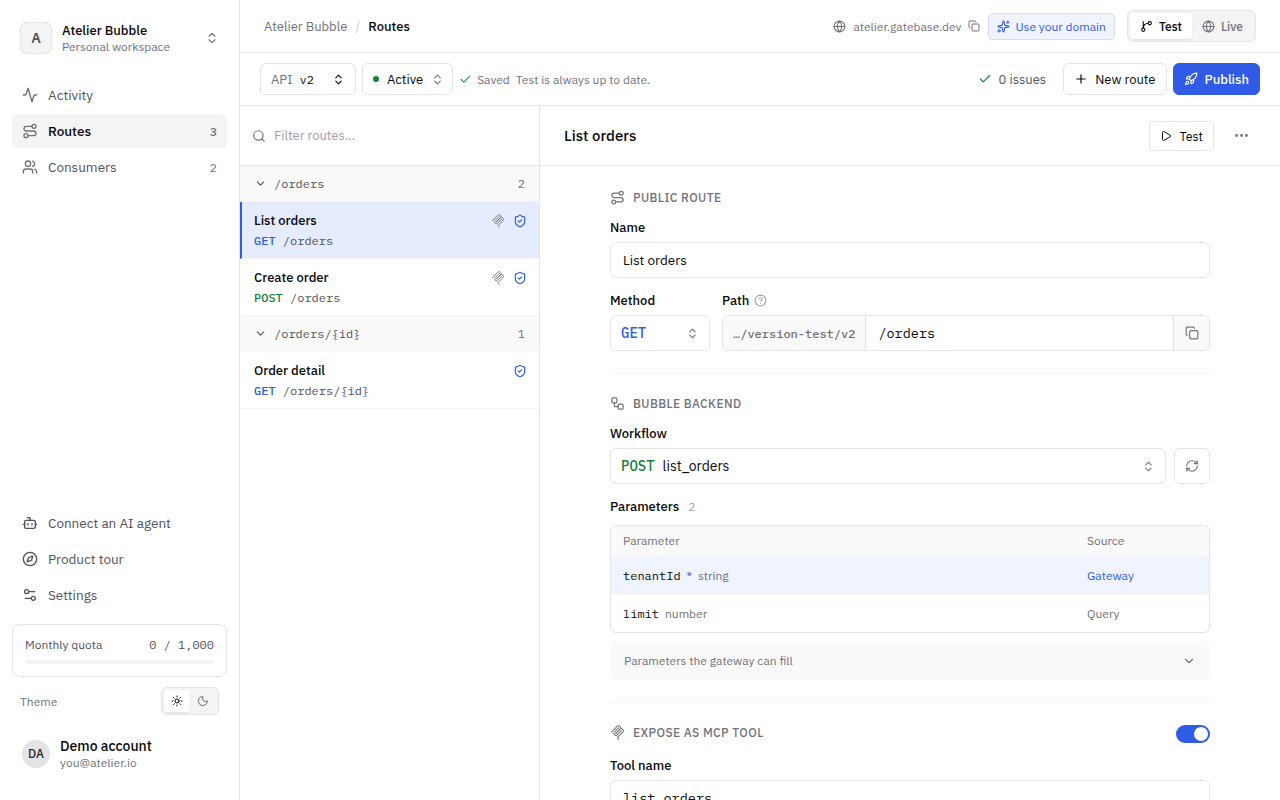
tenantId is filled by the gateway, limit comes from the query.In Routes, click New route and pick the workflow it calls. The list shows the backend workflows exposed by your Bubble app, with their parameters; if one is missing, click Sync backend workflows, the button next to the list, so Gatebase reads your app again. Once you pick a workflow, the route takes the workflow's parameters, and you choose its method, its path and the name of its MCP tool.
When you add or change a parameter in Bubble, click Sync backend workflows again so the route uses it.
| Setting | What it does |
|---|---|
| Method | The HTTP method callers use: GET to read, POST to create, PATCH to update, DELETE to delete. Gatebase still calls your workflow the way Bubble expects. |
| Path | The address of the route after the version, such as /orders/{id}. A part in braces is filled by the caller and passed to the workflow parameter of the same name. Paths are matched exactly: /Orders and /orders/ are different routes from /orders. |
| Parameters | The workflow's parameters. Gatebase looks for each one by name, first in the path, then in the JSON body, then in the query string. |
| REST API | Whether the route is part of your REST API. Turn it off for a route meant only for AI agents: it is then reachable only as an MCP tool or from your MCP apps, its address answers 404 and /openapi.json leaves it out. The editor then hides its method and path, which only REST callers use, and keeps them for when you turn REST back on; two such routes may share an address. |
| MCP tool | Whether AI agents can call the route, and with which name and description. The description tells an agent when to use the tool, so write it for a reader who knows nothing about your app. What the tool does tells the agent whether the tool only reads, adds data, or changes or deletes data; by default it follows the method (see MCP and AI agents). |
| Response | The fields the route returns, with their types. Gatebase uses them in /openapi.json and to check what your MCP Apps read. A route cannot be published until its response is known: see Initialize a route. |
| Shared data | Confirms that every tenant may see the workflow's data. Required when the workflow has no tenantId parameter. |
Open a route and click Test. Choose the tenant the call will act as, fill in the parameters and send. Gatebase makes a real call to your Bubble development version and shows the response the caller would get. Click View log to see what Gatebase sent to Bubble and what Bubble answered.
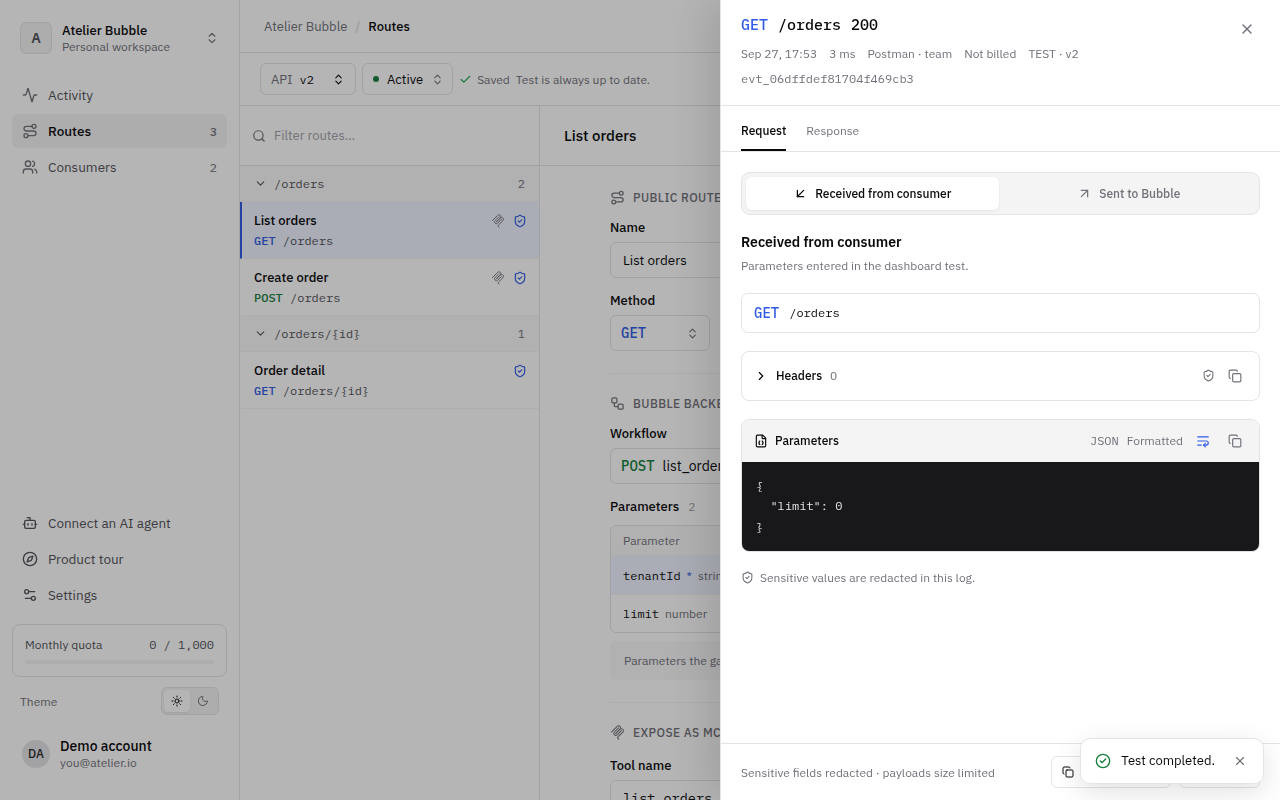
Tests change real dataA test runs your workflow for real in your Bubble development version. A workflow that creates or deletes things will do so.
Gatebase must know what a route returns before you can publish it, like Bubble's API Connector needs a call to be initialized. Open the route's Response tab and click Initialize call: Gatebase runs the route once in Test, as a test does, and fills the form with the fields of the answer and their types. Check them, then save. You can also add the fields by hand, or click Paste an example and paste an answer. For a workflow that returns nothing, click Empty response. When your workflow changes, initialize again: fields that appeared are highlighted in the form before you save.
Every field of a response can be empty, because any Bubble field can come back empty, so the OpenAPI description marks each one as possibly null.
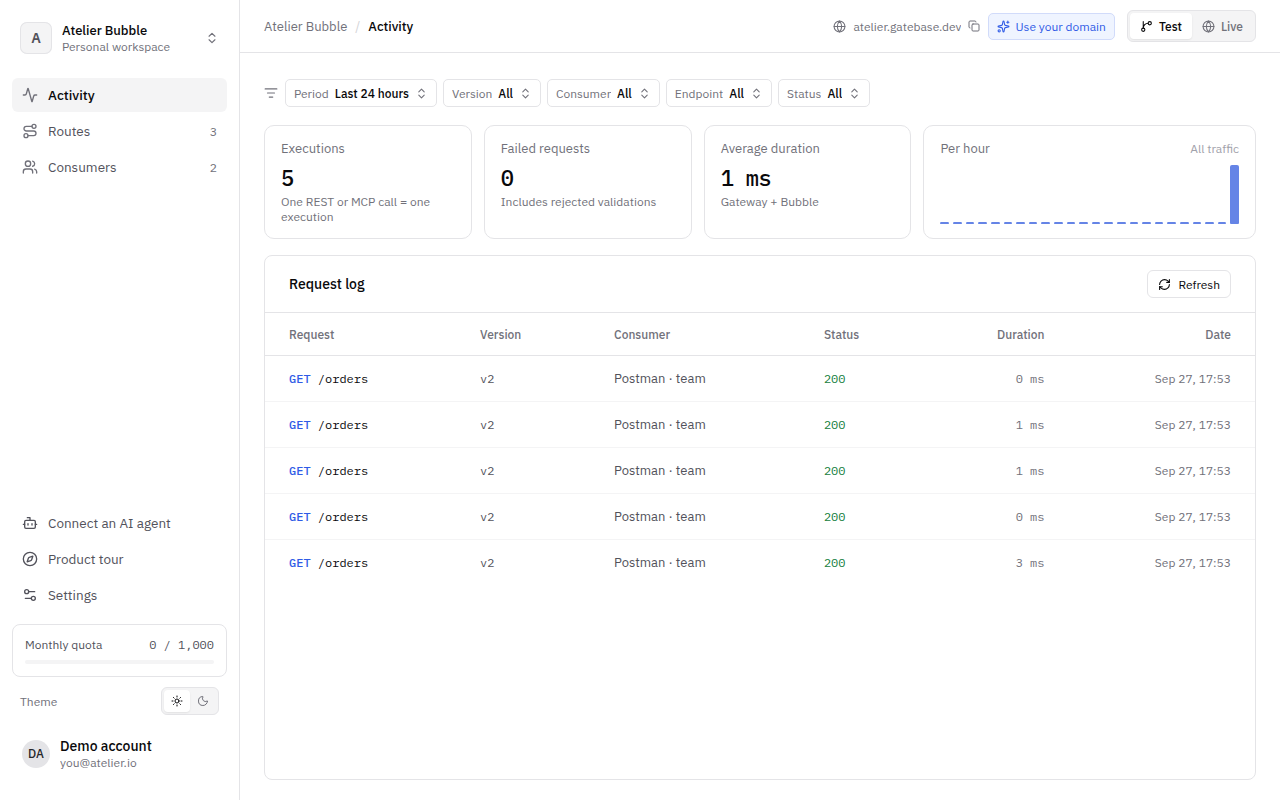
Activity lists every request made to your API in the last 7 days. Filter by tenant, route or status, and open a request to see what the caller sent, what Bubble answered and each step of the call.
When a request fails with 500, 502 or 504, the caller only sees a generic message. The exact cause, such as a workflow that no longer exists, is shown here.
Publishing copies the routes you prepared in Test to Live, where your customers call them. Live never changes until you publish again.
Your Live routes call your Bubble live version. Deploy your Bubble app to Live first, then click Publish to Live in Gatebase. Before publishing, Gatebase checks that each route's workflow exists in your Bubble live version with the same parameters. If everything is in order, Live requests use the new routes immediately.
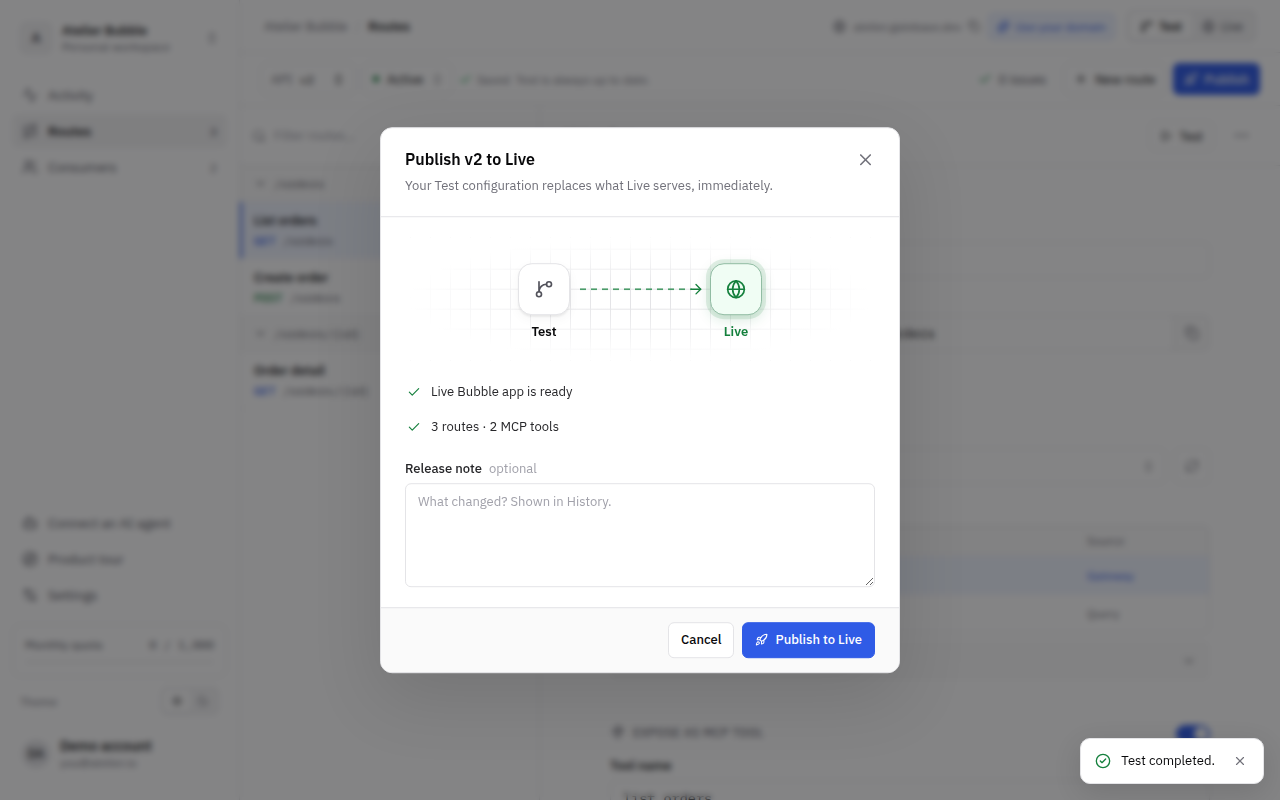
Each publication is saved in the history as a deployment that cannot be changed afterwards. Tenants and API keys are not part of it: changes to them apply immediately, without publishing.
The publish window lists what prevents publishing. The most common problems are:
| Problem | How to fix it |
|---|---|
live_workflow_missing: a route's workflow does not exist in your Bubble live version. | Deploy your Bubble app to Live, then publish again. |
live_schema_mismatch or live_tenant_missing: the workflow's parameters differ between your Bubble development and live versions. | Deploy your Bubble app to Live, then publish again. |
bubble_live_unavailable: Gatebase cannot read the workflows of your Bubble live version. | Check that the Workflow API is enabled and that your app has been deployed to Live at least once. |
tenant_scope_required: a route has no tenantId parameter and is not marked as shared. | Add a tenantId parameter to the workflow, or check Shared data on the route. |
response_required: Gatebase does not know what a route returns yet. | Open the route's Response tab and click Initialize call, or type its fields (see Initialize a route). |
Live cannot be rolled back directly. Open the history, click Restore to test on the deployment you want, check the routes in Test, then publish again.
Callers include the version in the address they call (/v1/orders). Avoid changes that would break existing callers, such as removing a parameter. When one cannot be avoided, create a new version with New version. It starts as a copy of an existing version's routes; you change it in Test and publish it, and callers move to /v2 when they are ready. Tenants, API keys and the monthly quota are shared by all versions.
Before you publish, Gatebase warns you about changes that would break callers of the Live deployment: a route or MCP tool removed, a route taken out of the REST API, a parameter removed, made required or of another type, a response field removed or of another type. It does not stop you, but republishing affects callers immediately: prefer a compatible change (keep the old route or parameter, make new parameters optional, add response fields rather than remove them). Create a new version only when a breaking change cannot be avoided, since every caller then has to move to it.
A new API version protects your callers from your own changes. The contract date protects them from Gatebase's. Gatebase decides some of what your callers see: the format of errors and their codes, response headers, validation rules and the shape of MCP results. If Gatebase changed one of these for everyone at once, a caller's app could break overnight without you or them changing anything.
So each API version follows the Gatebase contract that was current on the day you created it, identified by a date, for example 2026-10-22. The API version menu (API v1, at the top of the dashboard) shows it ("Follows the Gatebase contract of 2026-10-22"), and Get a project returns it as contract for each version.
When you want callers to leave an old version, change its status and publish:
| Status | What callers get |
|---|---|
| Active | Normal responses. |
| Deprecated | Normal responses, with a Deprecation header announcing that the version will be removed. If you set a retirement date, a Sunset header gives that date. The version keeps working after the date until you retire it. |
| Retired | Every request is refused with 410 api_version_retired. |
A tenant is one of your customers' accounts, allowed to call your API. You create one per customer, give it API keys, and can block it at any time.
In Tenants, click New tenant and enter:
tenantId (see Tenants and shared data) and cannot be changed after creation.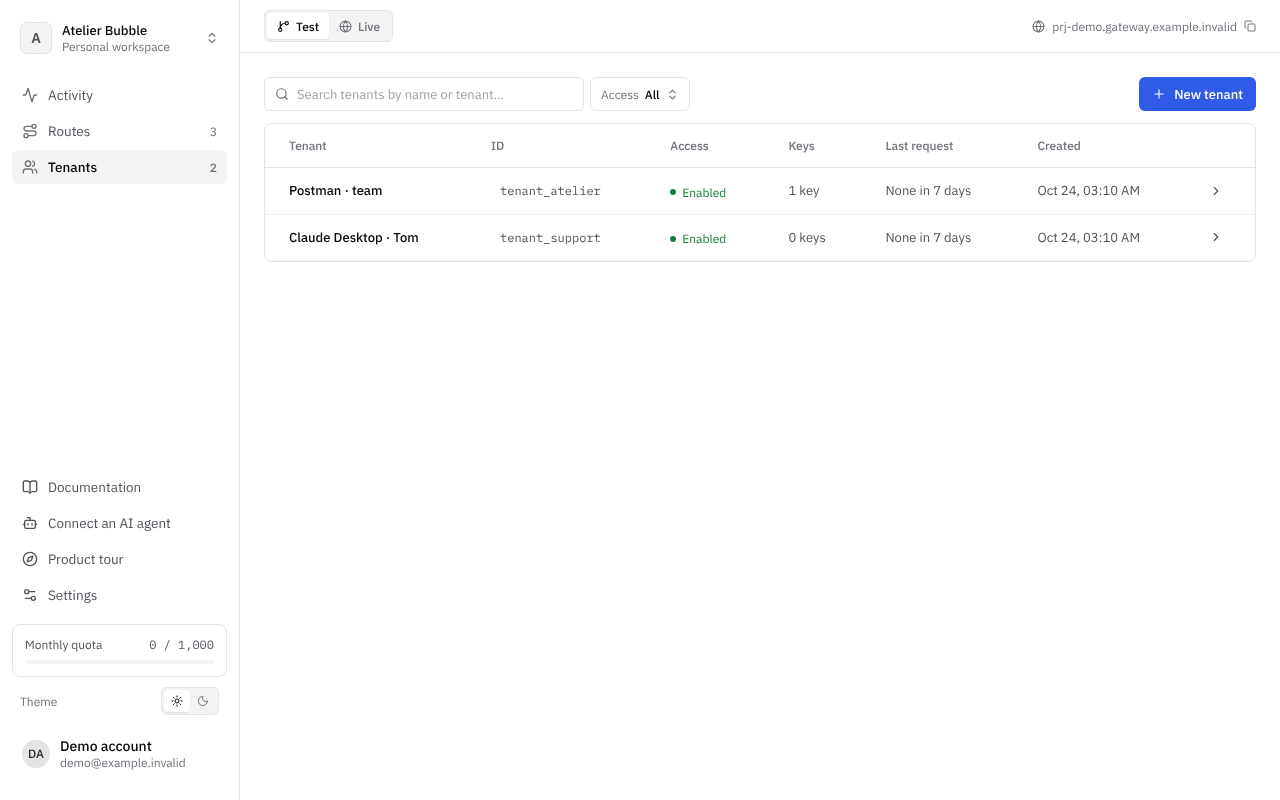
Test and Live have separate tenants: a tenant created in Test cannot call Live, and the same ID can be used in both. There is no limit on the number of tenants.
A tenant authenticates with an API key, sent in the Authorization header of each request. To create one, open the tenant, click New key, give it a name and choose when it expires. The key is shown only once: copy it and give it to your customer. Gatebase keeps no readable copy of it.
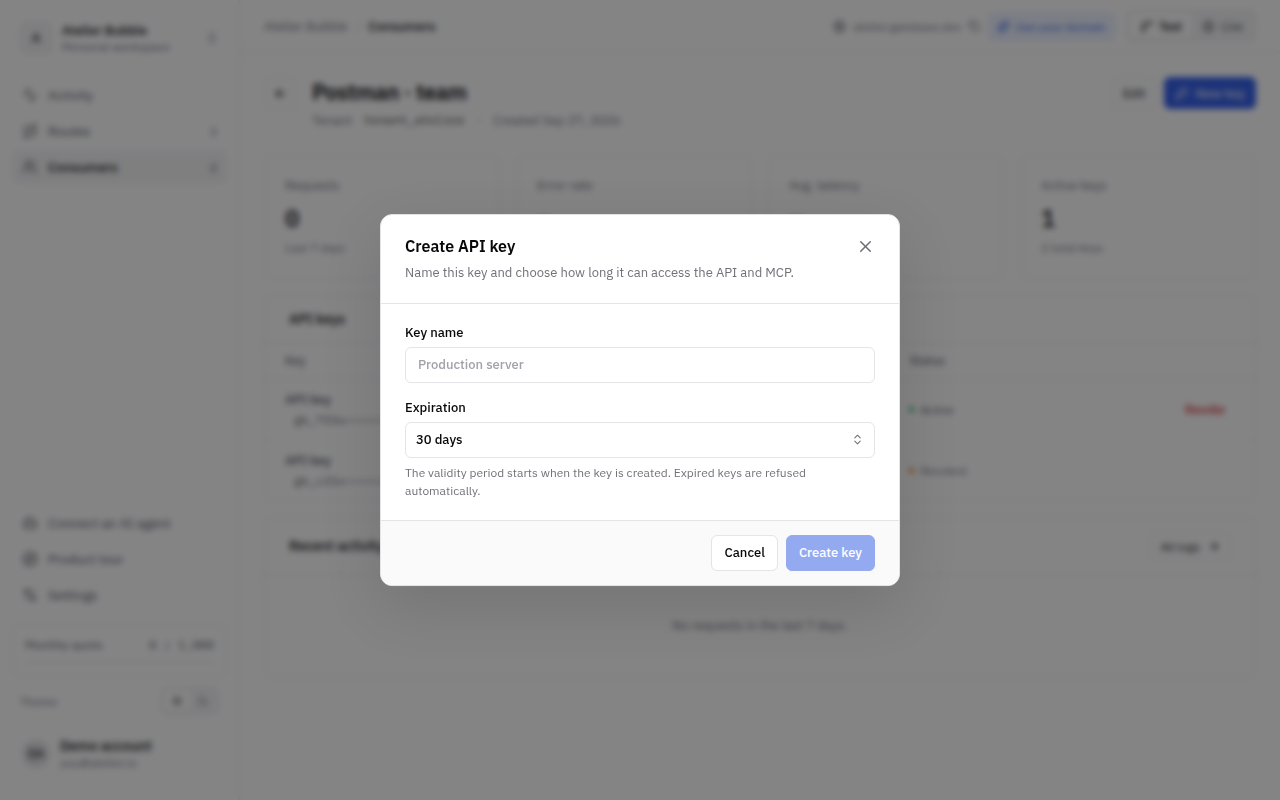
A key starts with gb_, followed by 46 letters and digits, for example gb_4kT9…. You can give your project's keys their own prefix so your customers recognize them, for example acme_4kT9…: in Settings, click Edit on the workspace and fill in API key prefix (2 to 12 lowercase letters and digits, starting with a letter). Only keys created afterwards use it; keys created before keep their prefix and keep working. Test and Live keys have the same prefix, but a Test key never opens Live.
Every key ends with a checksum. Keys that start with gb_ therefore have a fixed, checkable format that a code scanner, such as GitHub's secret scanning, can be set up to recognize, to warn you when a key is pushed to a repository by mistake. A key with your own prefix is harder to tell apart from other text. Your own management tokens always start with gb_pat_.
A tenant can have several keys, which all give the same access. To replace a key without interruption, create a new one, have your customer switch to it, then revoke the old one. A revoked or expired key is refused with 401 invalid_api_key.
Turn off API & MCP access on a tenant to refuse all of its requests at once, for example when a customer stops paying. Its requests are refused with 403 access_denied, and Bubble is not called. Turn it back on to restore access; revoked keys stay revoked.
These limits protect your Bubble app and apply to every project. A request over a limit is refused with the error shown, and Bubble is not called, except for the last two limits, which apply to Bubble's answer.
| Limit | Value | Error |
|---|---|---|
| Requests per minute, for one tenant | 600 | 429 rate_limited |
| Requests running at the same time, for one tenant | 20 | 429 concurrency_exceeded |
| Requests running at the same time, for the whole project in one environment | 100 | 429 concurrency_exceeded |
| Size of a REST request body | 1 MiB | 413 payload_too_large |
| Size of an MCP message | 256 KiB | 413 payload_too_large |
| Size of Bubble's answer | 2 MiB | 502 bad_gateway |
| Time Bubble has to answer | 300 seconds | 504 gateway_timeout |
A user is a person of your app, such as an employee of a customer, who acts for one or several tenants with keys of their own. Your workflows know who is calling, and an AI agent connected as that user picks the tenant to work on.
Tenant keys are enough when each customer account calls your API as a whole, for example from a server. Users are for people who connect themselves, for example in Claude or ChatGPT, and for one person who belongs to several of your customers' accounts. Every project has both: tenant keys and user keys work side by side, and the Users page sits next to Tenants.
Users mostly come from your app: a person who signs in with your Bubble app to connect an AI app becomes a user the first time (see Sign in with your Bubble app). Owners and admins can also create one in the dashboard's Users page (developers too, in Test), or with the management API (Create a user) or the Gatebase MCP, with:
When a user joins or leaves one of your customers' accounts, update their tenants in the user's Edit dialog in the dashboard, or with Update a user. A user page lists their tenants and keys; a tenant page lists its users.
A user's key acts as that user. When you create it, choose the tenants it acts for: all of the user's tenants (including those added later), or only some of them. A key never acts for a tenant the user has left, or for a blocked tenant.
A call made with a user's key names its tenant in tenantId, in the query string or the JSON body:
curl -X POST https://acme.gatebase.dev/v1/notes \
  -H "Authorization: Bearer gb_k2M9a…" \
  -H "Content-Type: application/json" \
-d '{"tenantId": "northwind", "text": "Call back on Monday"}'403 tenant_not_allowed, and Bubble is not called.tenantId, a key with a single tenant acts for it; a key with several is refused with 400 invalid_input on the field tenantId.tenantId, listed with the names of the user's tenants, so the agent can pick the right one.tenantId parameter.Tenant keys are unchanged: their tenant is fixed and a tenantId they send is ignored. Quotas and limits per tenant count the tenant each call acts for.
Add a text parameter named userId to a workflow to receive the ID of the user who calls, the same ID you gave the user. It is empty for calls made with a tenant's key. Like tenantId, a caller can never set it.
Rights stay in your appGatebase only checks that the user belongs to the tenant. Inside a tenant, people may not have the same rights: your workflow looks up the user by userId and checks their role before acting, and returns 403 with your own error_code when they may not.
Turn off API & MCP access on a user to refuse every request made with their keys, with 403 access_denied. Blocking a tenant also stops its users from acting for it.
If your customers sign up in your Bubble app, you can give each one a tenant and an API key automatically, with a single call to the Gatebase management API from a Bubble workflow, using the API Connector plugin.
In Gatebase, open Settings → API access and create a token limited to this project. This token lets your Bubble app manage the project. Treat it like a password.
In Bubble, install the API Connector plugin and add an API named Gatebase. Add two shared headers: Authorization with the value Bearer followed by your token, marked as private so it never reaches the browser, and Content-Type with the value application/json.
Add the calls below, each with Use as: Action so workflows can run them. Their addresses start with https://app.gatebase.dev/api/v1. In the paths, replace acme with your project's ID, and live with test to work with Test tenants while you build. Parts in brackets are dynamic values you fill in the workflow.
| Call | Method and path | Body fields |
|---|---|---|
| Create tenant | POST /projects/acme/live/tenants | id, name, key |
| Create key | POST /projects/acme/live/tenants/[tenantId]/keys | name |
| Block or allow | PATCH /projects/acme/live/tenants/[tenantId] | accessEnabled: false blocks, true allows |
| Revoke key | DELETE /projects/acme/live/tenants/[tenantId]/keys/[keyId] | None |
In the workflow that runs when a customer creates an account (in this example, a Workspace), add the Create tenant action. Send the Workspace's unique ID as id, its name as name, and a key object to create the tenant's first API key in the same call. The key object takes a name and, optionally, expiresInDays: the number of days before the key expires, from 1 to 3650. Without it, the key never expires.
The response contains two objects:
tenant: the new tenant. Its id is the Workspace's unique ID, which the other calls take as [tenantId].key: the new API key. Its secret field is the key itself: show it to your customer. Save its id on the Workspace, to revoke the key later.Do not store the keyAnyone who has the key can call your API as this customer. Show it to the customer and let them keep it; store only its id.
Use the Workspace's unique ID as the tenantIn your published workflows, declare tenantId with the type Workspace. Bubble then receives the calling customer's Workspace directly, and Workspace = tenantId works as a search constraint without conversion.
When a customer's subscription ends, call Block or allow with false, and with true when it resumes. To give a customer a new key, call Create key: its response has the same form as key above. Then call Revoke key with the old key's id. All the parameters of these calls are described in the API Reference.
This page is for the developers who call your API. You can send it to them as is.
An address is made of the project's domain, the version, then the route's path.
| Environment | Address of a route |
|---|---|
| Live | https://<project>.gatebase.dev/v1/<path> |
| Test | https://<project>.gatebase.dev/version-test/v1/<path> |
| Live, on a custom domain | https://api.yourcompany.com/v1/<path> |
| Test, on a custom domain | https://api.yourcompany.com/version-test/v1/<path> |
At the same base address, /mcp is the MCP server and /openapi.json is the OpenAPI description of the routes in the REST API, which tools like Postman can import. Both need the same Authorization: Bearer API key as your requests.
Send the API key in the Authorization header of every request, after the word Bearer. A Test key only works on Test addresses, and a Live key on Live addresses.
curl -X POST https://acme.gatebase.dev/v1/orders \
  -H "Authorization: Bearer $GATEBASE_KEY" \
  -H "Content-Type: application/json" \
-d '{"productId": "1712…", "quantity": 2}'Content-Type: application/json. GET requests have no body."3" is a string and is refused where a number is expected.?ids=["a","b"].null for an optional parameter clears the corresponding value.Every error has the same JSON format:
{
  "type": "about:blank",
  "title": "Unprocessable Content",
  "status": 422,
  "detail": "The item selected for customer could not be found.",
  "code": "invalid_reference",
  "errors": [{ "field": "customer", "message": "The item selected for customer could not be found." }]
}
code identifies the error and never changes: use it in your code. detail is a sentence you can show to the end user, and its wording may change. When the error comes from fields of the request, errors lists every one of them (up to 20), and detail describes the first. Every request that Gatebase processes gets an x-request-id response header; give it to the API's owner when reporting a problem, so they can find the request in their logs.
The most common errors, and whether sending the same request again can work:
| Status and code | Meaning | Send again? |
|---|---|---|
400 invalid_input or 400 invalid_parameter | A parameter is missing, has the wrong type, or has a value that cannot be read for its type. | No. Fix the request. |
401 invalid_api_key | The API key is missing, unknown, revoked or expired. | No. Use a valid key. |
403 access_denied | The API's owner has blocked this tenant. | No. |
404 not_found | The project does not exist, or this version is not published in this environment. | No. Check the address. |
404 route_not_found | No route has this method and path in this version. | No. Check the address. |
410 api_version_retired | This version of the API no longer exists. | No. Move to a newer version. |
415 unsupported_media_type | The body is not JSON, or it is compressed. Send Content-Type: application/json. | No. Fix the request. |
422 request_rejected | The Bubble workflow refused the request because one of its conditions was not met. | No. |
422 invalid_reference | An ID in the request does not match any existing item. | No. |
Another 4xx code | An error decided by the API itself, such as 409 insufficient_balance. | No. |
429 | Too many requests, or the monthly quota is used up. | Yes, after a pause. When the response has a Retry-After header, wait that number of seconds: it is always a number of seconds. |
500 internal_error | The API is misconfigured, for example its Bubble workflow no longer exists. | No. Report it to the API's owner with the x-request-id. |
502 bad_gateway or 504 gateway_timeout | The request failed while it was being processed. Part of it may have been carried out. | Only after checking whether it took effect, or with the same Idempotency-Key. |
503 service_unavailable | The service is briefly unavailable and nothing was carried out. | Yes. |
If a POST, PATCH or DELETE request fails without a clear answer, sending it again could, for example, create the same order twice. To avoid this, add an Idempotency-Key header with a unique value that you choose, such as a UUID. If you send the same request with the same key within 24 hours, you get the first response again and the request is not carried out a second time. The response then has the header idempotent-replayed: true. The key belongs to the tenant or user of your API key, and to the API version. Sending the same key with a different request returns 422 idempotency_key_reused. While the first request is still running, the same request returns 409 idempotency_in_progress: wait and send it again. A request refused before Bubble was called is not remembered, so its key can be used again. A first response larger than 64 KiB is not kept, and sending the request again returns 409 idempotency_response_unavailable: check whether it took effect instead.
A version of the API never changes its addresses, parameters or the meaning of an error code without its owner publishing it. Gatebase itself only ever adds things, so write your code to accept:
code you do not know by its HTTP status: a 4xx you cannot fix by retrying, a 429 or 503 after a pause.detail messages: never parse them, use code.Every request Gatebase admits, and every 429 rate_limited, carries the caller's per-minute window: RateLimit-Limit (requests allowed per minute), RateLimit-Remaining (left in this minute) and RateLimit-Reset (seconds until the window starts again). Slow down when RateLimit-Remaining gets close to 0.
Anything else Gatebase changes in what you see arrives only in API versions created after the change, as explained in Gatebase changes never break a version. Changes are listed in the changelog.
On the Pro plan, the API's owner can serve the API on their own domain, such as api.yourcompany.com: Live at /v1 and Test at /version-test/v1. In Settings → Domains, add the domain, create the DNS records Gatebase shows at your domain registrar, then click Verify now. Gatebase sets up HTTPS automatically. The gatebase.dev address keeps working.
MCP (Model Context Protocol) is the standard AI agents such as Claude, ChatGPT and Cursor use to call external tools. Every published version of your API is also an MCP server: each route with an MCP tool enabled becomes a tool the agent can call.
Each tool tells the agent what it does to your data: it only reads, it adds, or it changes or deletes data. AI apps use it to run reads at once and ask the person before a change or a deletion. By default it follows the route's method: a GET route only reads, a POST route adds, a PATCH or DELETE route may change or remove data. When the workflow does something else, such as a POST that deletes records, choose what it does in the route's MCP tool tab. Give a route that changes something a POST, PATCH or DELETE method, never GET.
The MCP address of a version is its base address followed by /mcp, for example https://acme.gatebase.dev/v1/mcp. Your customers add it to their agent in one of two ways:
{
  "mcpServers": {
    "acme": {
      "url": "https://acme.gatebase.dev/v1/mcp",
      "headers": { "Authorization": "Bearer gb_…" }
    }
  }
}
A tool call goes through the same checks, quota and limits as a REST request, and tenantId is filled in the same way. When a call fails, the agent receives the same error code as in REST. Blocking the tenant (or the user) disconnects the agent; with a key in the configuration, so does revoking the key.
To show your logo and brand color on the sign-in page, open Settings → OAuth screen.
People connect an agent such as Claude or ChatGPT by logging in to your Bubble app: it is the only way to connect with sign-in, so until it is set up, agents can't connect this way (a key in the configuration still works). In Settings → MCP sign-in:
https://app.gatebase.dev/api/v1/oauth-bubble).gatebase_identify, exposed as a public API workflow that requires authentication, with no parameters. It runs as the signed-in user. Its action Return data from API returns tenants: your tenant data type (such as Workspace) as a list, for example Current User's Workspaces. Each one's unique ID is the tenant's tenantId, the value your routes receive, and its Name field is the tenant's name. It can also return user_name and user_email as texts. Deploy it to Live. In Settings → MCP sign-in, Copy prompt for your AI agent gives your AI agent the instructions to set this up through the Gatebase MCP.gatebase_identify decides what each person can reachGatebase trusts the list this workflow returns: every tenant in it can be shared with an agent, and your routes then receive it as tenantId. Return only the tenants the signed-in person belongs to, built from Current User (for example Current User's Workspaces), never a search of every Workspace. Your other workflows must still filter by tenantId.
When someone connects, they log in on your app, then tick the tenants to share on the Gatebase page. Tenants Gatebase doesn't know yet are added, under the names your app gives. The agent then picks the tenant on each call with tenantId, and workflows receive the person's Bubble unique ID as userId: they become a user of the project on first sign-in. Gatebase asks your app again at least every hour: a tenant your app no longer returns is dropped from the connection, and a person your app no longer recognizes is disconnected.
Your AI agent can set up the Bubble side through the Gatebase MCP and check it with Check MCP sign-in.
Gatebase itself also has an MCP server, so you can ask an agent to work on your projects: import workflows, change and test routes, publish, create tenants. Add https://app.gatebase.dev/api/v1/mcp as a connector in Claude, ChatGPT or Cursor, sign in to Gatebase and choose which projects the agent can access. The agent has the same rights as your role in each project.
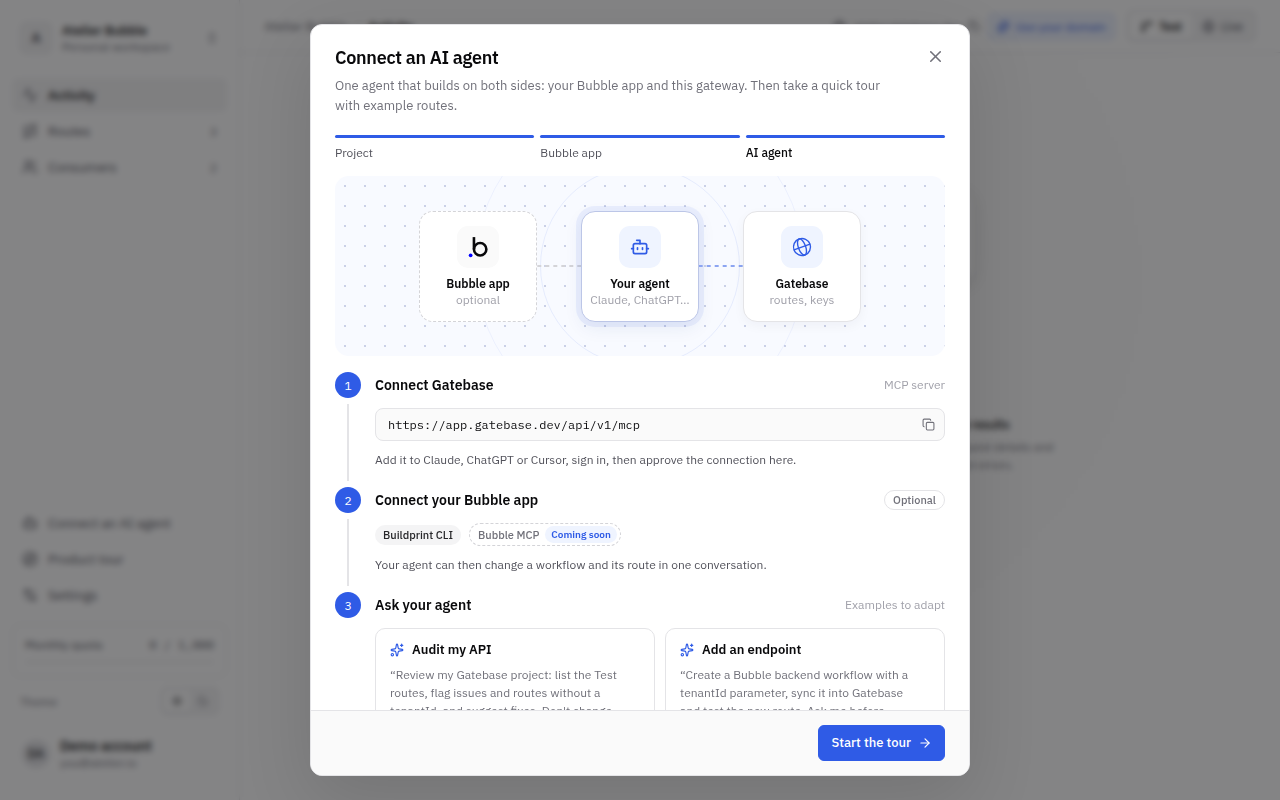
The last step of a new project gives you a setup prompt written for it. Your agent then calls Get the setup to see what is left: it exposes the workflows your API needs (with Bubble's MCP, https://mcp.bubble.io/mcp, it can change them itself), creates and initializes the routes, creates a test tenant, adds the gatebase_identify workflow, and asks you before publishing to Live. A few steps stay yours, because an agent may not do them: connecting the Bubble app with its API token, and registering Bubble's OAuth app with its secret in Settings → MCP sign-in.
For example, you can also ask:
Review my Gatebase project: list the Test routes, flag issues and routes
without a tenantId, and suggest fixes. Don't change anything yet.
Some actions are never available to an agent: it cannot create a project, connect a Bubble app, see API keys or other secrets, create management tokens, invite members, change a member's role or delete a project. When a new API key is created, the agent gets a link that you open in the dashboard to see the key once. To disconnect an agent, open Settings → API access.
An MCP App is an interactive view, such as a task board or an approval form, that an AI agent opens right inside the conversation in Claude, ChatGPT and other clients that support the MCP Apps extension. In Gatebase, an app is built on the routes of an API version: it shows their data and calls them when the person clicks.
await app.params() and runs a route with await app.call("list_tasks", { project: "p1" }), where list_tasks is the route's MCP tool name, written as text. The routes an app can call are exactly those its code names this way.Option sets are lists of values shared by every app of the project, such as task statuses. An option parameter takes one of their values; changing the list changes every app that uses it.
An option set can come from your Bubble app: in the options of a parameter, click Import from Bubble and pick one of the app's option sets. Gatebase takes its name and the display text of each option, the text Bubble expects in a workflow parameter, and keeps them up to date: it reads Bubble again when you open the Apps page (at most every five minutes), before each publication and when you click Refresh. Edit its options in Bubble; Stop syncing turns it into a list you edit in Gatebase. Gatebase reads your option sets through your Bubble account, so the first import asks Bubble to let Gatebase read your app's structure; your app's data is not read. Option sets are imported from apps on Bubble's shared servers; for an app connected by its own domain, type the list.
Open the Apps page of a version and click New app, or ask your AI agent to write it through the Gatebase MCP: it reads your routes and their responses, writes the code, saves it with Save an app and fixes the issues Gatebase returns. The dashboard shows the app next to its code:
Apps follow the client's theme when they style themselves with its CSS variables, such as var(--color-background-primary) and var(--color-text-primary). Like every MCP App, an app has no network access of its own: it gets its data only through app.call, and shows images from your Bubble app's file storage or embedded in the page. app.openLink(url) opens a link and app.requestDisplayMode("fullscreen") asks for more room.
An app can also speak to the agent that opened it. Neither call runs a route or is counted.
await app.sendMessage("Summarize my overdue tasks") posts the text in the conversation as if the person had typed it, and the agent answers. Send it when the person clicks, such as a button, never when the app opens. The client may ask the person first; if it refuses, or the text is empty, the call fails.await app.updateContext({ selected: ["task_1"] }) tells the agent what the app shows or what the person picked, without posting anything: the agent reads it with the next message. Send a text or an object; each call replaces the previous one, and null clears it.In the dashboard preview, a message the app sends shows in a chat bubble above the app, and both calls appear in the logs.
An app is edited in the Test draft of its version, like routes. Your Test MCP server serves it as soon as it is saved without errors; Live serves it from the next publication, frozen with the routes. Publishing is blocked while an app has an error: a call to a route that doesn't exist, a parameter used but not declared, or a response field that a route no longer returns. Restoring an earlier deployment brings its apps back too.
The switch at the top of an app's settings turns it off: it keeps its code but is no longer offered to agents. Test changes at once, Live at the next publication.
An app runs with the access of the person who opened it: the same key or sign-in, the same tenant and the same limits as their other calls. When the person acts for several tenants, they choose one when the app opens, and every call of the app is made for that tenant. Opening an app does not call Bubble and is not counted. Each route the app calls is a normal request: it counts, and is billed in Live, exactly like the same call over REST or MCP. A route the app calls without being an MCP tool itself is offered to the app only, not to the agent. The same key can still reach it over REST unless you turn off its REST API setting; either way, keep filtering by tenantId in every workflow.
A version can have up to 20 apps, each with up to 30 parameters and 100,000 characters of code; a project can have up to 100 option sets.
Most of what the dashboard does, over REST for your scripts and CI, and over MCP for AI agents.
| Address | |
|---|---|
| REST | https://app.gatebase.dev/api/v1 |
| MCP | https://app.gatebase.dev/api/v1/mcp |
Looking for your own API?This reference covers the management API, which administers Gatebase. The API you publish is described by its own /v1/openapi.json and in Call your API.
In Settings → API access, click Create token. It starts with gb_pat_.
export GATEBASE_TOKEN=gb_pat_…
curl https://app.gatebase.dev/api/v1/projects \
  -H "Authorization: Bearer $GATEBASE_TOKEN"
The answer lists your projects. Read one in full, with its versions, apps, domain and billing, with Get a project.
Response examples on endpoint pages are shortened to their main fields.
Most endpoints live under /projects/{projectId}/{environment}, where environment is test or live. Routes are edited in test only; live changes when you publish. Routes and the OpenAPI description belong to one version of your API, written in the address: /projects/{projectId}/test/versions/2/routes works on v2. Creating a version, changing its status, checking it, listing its deployments and publishing it use /projects/{projectId}/versions, with no environment: checks and publishing always start from the Test routes, and publishing sends them to Live. Tenants, keys and activity are shared by every version, so they take no version. Custom domains belong to the project: their endpoints take neither an environment nor a version.
Send only the fields an endpoint documents, in the address, the query string or the body: any other field, environment on an endpoint without one included, is refused with 400 invalid_input, which names it.
Every list returns its items and a cursor, such as { "tenants": […], "cursor": "…" }. To read the next page, send that cursor back with the same filters; it is null on the last page. A cursor is opaque and belongs to the list and filters that produced it: sent to another list, with other filters or changed, it returns 400 invalid_cursor. A page holds 50 items unless you set limit (1 to 100). In the query string, a list is written as JSON, as in ?ids=["acme","globex"]. Tenants, users, keys, deployments and requests come page by page. The routes of a version, your tokens and your connected apps come in one page, with cursor always null.
A call that reads or changes one object returns it whole, under its name, in the shape its read endpoint uses: { "project": … }, { "route": … }, { "key": … }, { "apiVersion": … }, { "deployment": … }. Every documented field is always present: a field with no value is null, never missing or empty.
A creation returns 201. A call with nothing to return, such as revoking a token or removing a domain, returns 204 with no body. Everything else returns 200. Every response carries an x-request-id header: give it to support when reporting a problem.
Every call that changes something identifies the change in an Operation-Id response header, never in the body; over MCP, a tool result carries it in _meta.operationId. Send the same Idempotency-Key again and you get the same Operation-Id back. A change your published API must apply also returns sync:
done: the change is saved and your published API already applies it.pending: the change is saved, but your published API does not apply it yet; syncMessage says why. Gatebase finishes applying it within 5 minutes; until then, the previous state can still apply. Do not send the change again.A status in a response is always the state of the object itself, such as a version's status, never the state of the synchronization. Changes to routes and versions are saved in Test and reach Live when you publish.
The management API is versioned in its address: /api/v1. Within v1, Gatebase only makes changes your code can ignore:
detail messages;Removing or renaming an endpoint or a field, making a field required, or changing what an error code means would be a new version, /api/v2, released alongside v1. v1 would then be deprecated, announced in the changelog and by email, and keep answering for at least six months after that.
Send a management token as a bearer token on every request.
Authorization: Bearer gb_pat_…A token also has an access level, chosen when you create it. Give each token the least it needs:
| Access | What the token can do |
|---|---|
| Full access | Everything your role allows. |
| Tenants and keys | Read projects, and create, change and list tenants, users and their API keys. Nothing else: no routes, no publishing, no logs. This is the token to put in a Bubble sign-up workflow. |
| Read only | Read everything your role can read, and change nothing. |
A call beyond the token's access is refused with 403 forbidden. Over MCP, the token only sees the tools it can call.
AI clients connect to the MCP server with OAuth instead of a token. Each connection is approved in the dashboard and can be revoked at any time. Agents cannot create projects, connect a Bubble app, create tokens, invite members, change a member's role, delete a project, or see API keys and other secrets: these stay in the dashboard or require a token.
180 management requests per minute per account, and 600 per minute per project, REST and MCP together. Beyond that, 429 rate_limited with Retry-After.
The Idempotency-Key header is optional. Add it when you want to retry a call safely: the change then happens once, however many times you send it.
Your Bubble workflow calls Create tenant. Gatebase creates it, but the response is lost on the way back: a timeout, a network cut, a workflow step Bubble runs again. Your app cannot tell whether the call worked. If it simply retries, the second call is refused with 409 duplicate_tenant, and the key the first call created is lost.
Operation-Id header.422 idempotency_key_reused, because the key already names another change.409 idempotency_in_progress, with Retry-After. Nothing runs twice. Retry a little later with the same key and the same input to get the result.Idempotency-Key for 24 hours, as described in Send a request again safely. To find out whether a change went through, send the same call again with the same key: there is no separate endpoint to read the state of a change.Without the header, each call runs once, like any REST call. Add it as a dynamic header on the calls you might retry, built from what the action is about:
| Call | Good key |
|---|---|
| Create tenant | tenant- + Workspace's unique id |
| Create key | key- + Workspace's unique id + - + a counter you keep |
| Block access | block- + Workspace's unique id + - + today's date |
Never a random value per runA new random key on every run makes each retry look like a new change, and you are back to duplicates. The key must stay the same when the same action is retried.
Keys have 1 to 255 visible ASCII characters, the same rule as the APIs you publish (400 invalid_idempotency_key otherwise). Over MCP, the optional idempotencyKey argument works the same way: without it, each call is a new change.
Errors use the same Problem Details format as your published API, with a stable code.
{
  "type": "about:blank",
  "title": "Conflict",
  "status": 409,
  "detail": "This route changed in another session. Reload before editing.",
  "code": "route_conflict"
}
An invalid request answers 400 invalid_input and lists every field it refuses in errors, by its path in the request; detail repeats the first message:
{
  "type": "about:blank",
  "title": "Bad Request",
  "status": 400,
  "detail": "Invalid option: expected one of \"GET\"|\"POST\"|\"PATCH\"|\"DELETE\"",
  "code": "invalid_input",
  "errors": [
    { "field": "route.method", "message": "Invalid option: expected one of \"GET\"|\"POST\"|\"PATCH\"|\"DELETE\"" },
    { "field": "route.path", "message": "Invalid input: expected string, received number" }
  ]
}
A field the endpoint does not take is named the same way: { "field": "route.draftOnly", "message": "Unknown field: route.draftOnly." }.
| Status | Code | Meaning |
|---|---|---|
| 400 | invalid_input | The body is not a JSON object, or a field is missing, has the wrong type or is unknown. Fix the request. |
| 400 | invalid_cursor | The cursor comes from another list or other filters. Start again from the first page. |
| 400 | path_mismatch | The body repeats a value from the address, such as a route ID, with a different value. Send the same value, or leave it out of the body. |
| 400 | connection_required | No Bubble app is connected to this environment. Connect it in the dashboard: AI agents cannot connect one. |
| 401 | unauthorized | The request has no token and no dashboard session. |
| 401 | invalid_management_token | The management token is unknown, revoked or expired. |
| 403 | forbidden | Your role does not allow this call, or it must be done in the dashboard, for example because an AI agent made it. |
| 403 | project_scope | The token is limited to some projects, and this call needs a token that reaches every project. |
| 403 | subscription_required | The call needs a paid plan on this project, such as adding a custom domain or opening the billing portal. |
| 403 | live_read_only | Routes and workflows only change in test. Live changes when you publish. |
| 404 | project_not_found | The project does not exist, or the token does not reach it. |
| 404 | tenant_not_found, key_not_found, route_not_found | The tenant, key or route does not exist in this environment or version. |
| 409 | duplicate_tenant | Another tenant in this environment already has this ID. Each ID is used by one tenant per environment. |
| 409 | route_conflict | Someone saved the route after you read it. Read it again, then save. |
| 422 | idempotency_key_reused | This Idempotency-Key was already used for a different call. Use a new key for a new change. |
| 409 | idempotency_in_progress | The first call with this Idempotency-Key is still running. Send the same call again a little later to get its result. |
| 409 | version_limit, project_limit | You reached the number of API versions or projects your account can have. Waiting does not help: remove one first. |
| 429 | rate_limited | Too many management requests. Wait the number of seconds in Retry-After. |